
Embark on a journey through the realm of Construction ERP, where efficiency meets innovation. Explore the intricacies of project management, resource optimization, and seamless collaboration in the construction industry.
Discover how Construction ERP software revolutionizes the way construction companies operate, paving the path for streamlined processes and enhanced productivity.
Introduction to Construction ERP
Construction ERP (Enterprise Resource Planning) software is a specialized solution designed to meet the unique needs of the construction industry. It helps construction companies manage various aspects of their projects efficiently and effectively.
Streamlining Project Management Processes
- One key function of Construction ERP systems is project planning and scheduling. These systems allow project managers to create detailed plans, allocate resources, and set deadlines, ensuring that projects are completed on time and within budget.
- Another important feature is cost management. Construction ERP software helps track expenses, monitor budgets, and analyze costs in real-time, enabling companies to make informed decisions and avoid cost overruns.
- Document management is also simplified with Construction ERP systems. These platforms provide a centralized location for storing and accessing project-related documents, reducing the risk of errors and ensuring that all stakeholders have access to the latest information.
Benefits of Using Construction ERP
- Improved Efficiency: By automating processes and providing real-time data, Construction ERP systems help streamline operations and reduce manual tasks, leading to increased efficiency.
- Enhanced Communication: With centralized data storage and communication tools, Construction ERP promotes collaboration among team members, subcontractors, and clients, improving overall communication and project outcomes.
- Better Decision-Making: Construction ERP software offers insights and analytics that enable companies to make data-driven decisions, leading to better project outcomes and increased profitability.
Key Features of Construction ERP

In the construction industry, ERP systems play a crucial role in streamlining operations and improving overall efficiency. Here are some key features of Construction ERP systems:
Project Tracking
Construction ERP systems offer robust project tracking capabilities, allowing project managers to monitor progress, identify bottlenecks, and make informed decisions in real-time. This feature helps in ensuring projects are completed on time and within budget.
Resource Management
Efficient resource management is essential in construction projects, and Construction ERP systems provide tools to effectively allocate resources such as labor, equipment, and materials. By optimizing resource utilization, construction companies can reduce costs and enhance productivity.
Cost Control
Cost control is a critical aspect of construction projects, and Construction ERP systems help in tracking and managing costs throughout the project lifecycle. From budgeting to expense tracking, these systems enable better financial management and ensure projects stay within budget constraints.
Integration with Other Software Applications
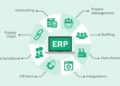
Construction ERP systems can seamlessly integrate with other software applications commonly used in the construction sector, such as project management software, accounting software, and scheduling tools. This integration streamlines data flow and enhances overall project efficiency.
Enhanced Collaboration
Construction ERP systems facilitate collaboration among project stakeholders by providing a centralized platform for communication, document sharing, and decision-making. With real-time access to project data, team members can collaborate more effectively, leading to improved project outcomes.
Implementation of Construction ERP
Implementing a Construction ERP system within a construction company is a crucial process that requires careful planning and execution to ensure its success.
Steps involved in implementing a Construction ERP system:
- Conduct a thorough analysis of the company’s current processes and workflows to identify areas that can be improved or automated with ERP.
- Select a suitable Construction ERP software that aligns with the company’s specific needs and requirements.
- Create a detailed implementation plan outlining the timeline, resources, and responsibilities for each stage of the process.
- Train employees on how to use the new ERP system effectively to maximize its benefits and ensure a smooth transition.
- Monitor the implementation process closely, address any issues or concerns promptly, and make necessary adjustments as needed.
Challenges that may arise during the implementation process and how to overcome them:
- Resistance to change from employees who are accustomed to old processes – Address this by providing comprehensive training and demonstrating the benefits of the new system.
- Data migration issues leading to inconsistencies or errors – Conduct thorough testing before the full rollout and have a backup plan in place.
- Lack of top management support or involvement – Engage key stakeholders from the beginning and communicate the importance of the ERP system for the company’s growth and efficiency.
Tips for a successful deployment of Construction ERP software in a construction firm:
- Involve key stakeholders in the decision-making process to ensure buy-in and support throughout the implementation.
- Set clear objectives and goals for the ERP system to track progress and measure success.
- Allocate sufficient resources, including time and budget, for the implementation to avoid delays or setbacks.
- Regularly communicate with employees about the benefits of the ERP system and address any concerns or feedback promptly.
- Continuously evaluate the performance of the ERP system and make improvements or updates as needed to optimize its functionality.
Customization and Integration of Construction ERP
Customization and integration of Construction ERP are crucial aspects that can greatly enhance the efficiency and effectiveness of a construction business.
Customizing Construction ERP Solutions
Customizing Construction ERP solutions is essential to tailor the software to the specific needs and requirements of a construction company. By customizing the ERP system, businesses can optimize workflows, improve data accuracy, and enhance overall productivity. For example, a construction firm may need to customize the ERP software to include modules for project management, resource allocation, cost tracking, and scheduling, among others.
Integration with Existing Tools and Systems
- Construction ERP can be integrated with existing tools such as accounting software, project management tools, scheduling software, and CRM systems to streamline processes and ensure data consistency across different platforms.
- By integrating Construction ERP with existing systems, businesses can eliminate data silos, reduce manual data entry, and improve collaboration among different departments.
Best Practices for Integrating Construction ERP with Third-Party Applications
- Ensure compatibility: Before integrating Construction ERP with third-party applications, it is crucial to ensure that the systems are compatible and can seamlessly communicate with each other.
- Data mapping: Proper data mapping is essential to ensure that information flows accurately between the ERP system and third-party applications without any discrepancies.
- Security measures: Implement robust security measures to protect sensitive data when integrating Construction ERP with external systems to prevent data breaches and unauthorized access.
- Regular monitoring and maintenance: Continuous monitoring and maintenance of the integrated systems are necessary to identify and address any issues or discrepancies promptly.
Summary
In conclusion, Construction ERP stands as a cornerstone in modern construction practices, offering a myriad of benefits for companies seeking to thrive in a competitive landscape. Dive into the world of Construction ERP and unlock the potential for growth and success in your projects.
Question Bank
What are the primary functions of Construction ERP software?
Construction ERP software helps in project management, resource allocation, cost control, and enhancing collaboration among stakeholders.
How can Construction ERP be customized to suit the needs of a construction business?
Construction ERP solutions can be tailored to specific requirements of a construction company by configuring modules, workflows, and reports accordingly.
What are the common challenges faced during the implementation of Construction ERP?
Challenges may include data migration issues, resistance from employees to adapt to new software, and ensuring seamless integration with existing systems. Overcoming these challenges requires effective communication, training, and support.
How does Construction ERP integrate with other software applications in the construction sector?
Construction ERP systems can integrate with tools like project scheduling software, accounting software, and BIM applications to streamline processes and improve data accuracy.
What are the benefits of using Construction ERP for construction companies?
Benefits include improved project efficiency, better resource utilization, cost savings, enhanced decision-making, and increased collaboration among team members.