
Embark on a journey into the world of cloud ERP software, where innovation meets efficiency to transform businesses. Discover the key aspects that make cloud ERP software a game-changer in today’s digital landscape.
Introduction to Cloud ERP Software
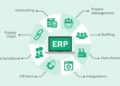
Cloud ERP software refers to Enterprise Resource Planning software that is hosted on remote servers and accessed through the internet. This technology allows businesses to streamline their operations by integrating various functions such as finance, human resources, inventory management, and customer relationship management into a single system.
Examples of Popular Cloud ERP Software
- Oracle NetSuite: A comprehensive cloud ERP solution suitable for businesses of all sizes.
- SAP Business ByDesign: An integrated cloud ERP system designed for midsize companies.
- Microsoft Dynamics 365: A cloud-based ERP software offering a range of applications for different business functions.
Benefits of Cloud ERP Software
Cloud ERP software offers several advantages over traditional ERP systems, including:
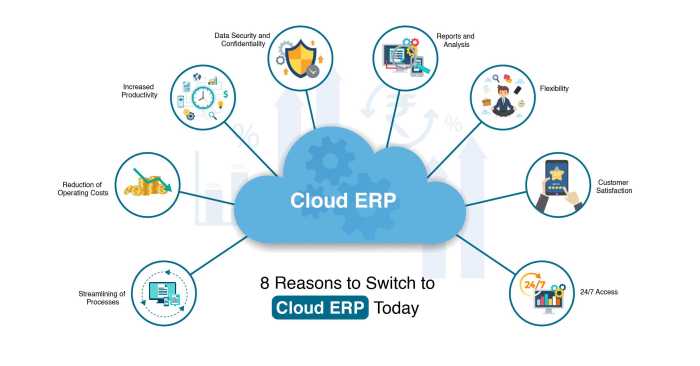
- Flexibility and scalability: Cloud ERP systems can easily adapt to the changing needs of a business without requiring extensive IT infrastructure.
- Cost-effectiveness: Cloud ERP software eliminates the need for costly hardware installations and maintenance, reducing overall IT expenses.
- Accessibility: Users can access cloud ERP systems from anywhere with an internet connection, enabling remote work and improved collaboration.
- Enhanced security: Cloud ERP providers invest in robust security measures to protect data, offering better data protection than on-premises systems.
Key Features of Cloud ERP Software
Cloud ERP software offers a range of unique features that set it apart from traditional ERP systems. From seamless integration of business processes to automation capabilities, here are some key features that make Cloud ERP software stand out:
Integration of Different Business Processes
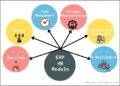
Cloud ERP software integrates various business processes, such as finance, HR, inventory management, and customer relationship management, into a single platform. This integration allows for real-time data sharing and collaboration across departments, leading to improved efficiency and decision-making.
- Centralized Data Management: Cloud ERP software centralizes data from different departments, eliminating silos and ensuring a single source of truth for all users.
- Streamlined Workflows: By connecting different processes, Cloud ERP software streamlines workflows and reduces manual tasks, saving time and resources.
- Improved Communication: With integrated systems, employees can easily communicate and collaborate on projects, leading to enhanced productivity and faster decision-making.
Role of Automation
Automation is a key feature of Cloud ERP software that helps businesses streamline repetitive tasks and optimize processes for greater efficiency and accuracy.
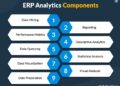
- Automated Reporting: Cloud ERP software automates reporting processes, generating real-time insights and analytics for informed decision-making.
- Workflow Automation: By automating workflows, Cloud ERP software reduces human error, accelerates processes, and ensures consistency in operations.
- Task Automation: Cloud ERP software automates routine tasks, freeing up employees to focus on more strategic activities that drive business growth.
Implementation of Cloud ERP Software
Implementing Cloud ERP software for a business involves several steps to ensure a successful transition. Organizations may face challenges during the implementation process, but there are best practices that can help navigate these obstacles effectively.
Steps in Implementing Cloud ERP Software
- 1. Planning and Preparation: Assess the current systems and processes, define goals, and establish a project team.
- 2. Vendor Selection: Choose a reliable Cloud ERP provider that aligns with your business requirements.
- 3. Data Migration: Transfer existing data to the Cloud ERP system while ensuring accuracy and integrity.
- 4. Customization and Configuration: Tailor the software to meet specific business needs and workflows.
- 5. Training and Testing: Provide comprehensive training to users and conduct thorough testing to identify any issues.
- 6. Go-Live and Support: Launch the Cloud ERP system gradually and provide ongoing support for users.
Challenges in Cloud ERP Software Implementation
- – Resistance to Change: Employees may resist adopting new systems and processes.
- – Data Security Concerns: Ensuring data security and compliance with regulations can be challenging.
- – Integration Issues: Integrating Cloud ERP software with existing systems may pose technical difficulties.
- – Resource Constraints: Limited resources such as time, budget, and expertise can hinder implementation.
Best Practices for Successful Cloud ERP Software Implementation
- – Executive Sponsorship: Secure leadership support and involvement throughout the implementation process.
- – Clear Communication: Keep stakeholders informed and engaged to manage expectations effectively.
- – Change Management: Implement strategies to address resistance and facilitate a smooth transition.
- – Continuous Training: Provide ongoing training and support to ensure user adoption and proficiency.
- – Data Quality Assurance: Regularly monitor data quality and integrity to maintain system accuracy.
Security and Compliance in Cloud ERP Software
Cloud ERP software prioritizes security to protect sensitive data from unauthorized access and cyber threats. Various security measures are implemented to ensure the confidentiality, integrity, and availability of data.
Security Measures in Cloud ERP Software
- Encryption: Data is encrypted both in transit and at rest to prevent interception and unauthorized access.
- Access Control: Role-based access control restricts users’ permissions based on their roles within the organization.
- Multi-factor Authentication: Users are required to provide multiple forms of verification to access the system, adding an extra layer of security.
- Regular Audits: Continuous monitoring and audits help identify and address security vulnerabilities promptly.
Compliance with Industry Regulations
Cloud ERP software ensures compliance with industry regulations such as GDPR, HIPAA, and SOX to protect sensitive data and maintain legal requirements. By adhering to these standards, organizations can avoid hefty fines and legal consequences.
Examples of Data Breaches and Responses
- In 2019, a data breach in a Cloud ERP system exposed sensitive customer information. The company responded by immediately notifying affected customers, enhancing security measures, and conducting a thorough investigation.
- Another incident involved a phishing attack that compromised user credentials in a Cloud ERP software. The company responded by implementing additional security training for employees and enhancing email security protocols.
Customization and Scalability of Cloud ERP Software
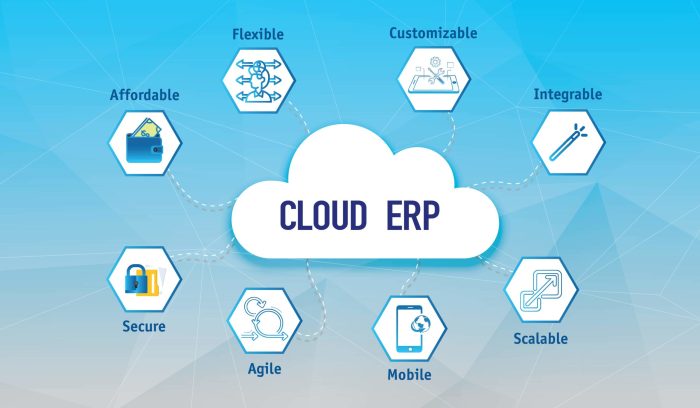
Customization and scalability are key factors that businesses consider when choosing a Cloud ERP software solution. Let’s explore the level of customization options available and how Cloud ERP software can adapt to the changing needs of a growing business.
Level of Customization Options
Cloud ERP software offers a high degree of customization options to tailor the system to meet the specific needs of a business. From customizing workflows and reports to configuring user roles and permissions, businesses can personalize the software to align with their unique processes.
Businesses can create custom fields, forms, and modules within the Cloud ERP software to capture and analyze data that is most relevant to their operations.
Adapting to Changing Business Needs
One of the advantages of Cloud ERP software is its scalability, allowing businesses to easily adapt to changing requirements as they grow. The software can accommodate an increasing number of users, transactions, and data volume without significant disruptions.
As businesses expand, Cloud ERP software can seamlessly scale to support additional functionalities, modules, and integrations to meet evolving business demands.
Case Studies of Successful Scalability
Many businesses have successfully scaled their operations using Cloud ERP software. For example, a manufacturing company was able to expand its production facilities across multiple locations while maintaining real-time visibility and control over its operations through a Cloud ERP system.
Another case study involves a retail company that experienced rapid growth and was able to efficiently manage its inventory, sales, and customer data by leveraging the scalability of Cloud ERP software.
Integration with Other Business Applications
Cloud ERP software plays a crucial role in streamlining business operations, but its true power lies in its ability to seamlessly integrate with other essential business applications such as CRM (Customer Relationship Management) and BI (Business Intelligence) tools. This integration enhances efficiency, data accuracy, and decision-making processes within an organization.
Benefits of Integrating Cloud ERP with Third-Party Applications
- Improved Data Visibility: By integrating Cloud ERP with CRM systems, businesses can access real-time customer data, leading to more personalized interactions and enhanced customer satisfaction.
- Enhanced Reporting and Analytics: Integration with BI tools enables businesses to generate in-depth reports and gain valuable insights for strategic decision-making.
- Seamless Workflow Automation: Integration with other applications automates processes, reduces manual errors, and increases operational efficiency.
Challenges Faced During Integration Process and Solutions
- Data Synchronization Issues: Ensuring data consistency between different applications can be a challenge. Implementing data mapping and synchronization tools can help overcome this hurdle.
- System Compatibility: Integration between Cloud ERP and third-party applications may face compatibility issues. Working closely with vendors and utilizing middleware solutions can address this challenge.
- Security Concerns: Protecting sensitive data during integration is crucial. Implementing robust authentication protocols and encryption methods can enhance security measures.
Wrap-Up
In conclusion, cloud ERP software offers a dynamic solution for businesses seeking streamlined operations and enhanced productivity. Embrace the future of enterprise resource planning with cloud ERP software.
Questions Often Asked
How customizable is Cloud ERP software?
Cloud ERP software typically offers a high level of customization to tailor the system to specific business needs.
What are the main security features in Cloud ERP software?
Security features in Cloud ERP software often include encryption, user authentication, and regular data backups to protect sensitive information.
Can Cloud ERP software integrate with other business applications?
Yes, Cloud ERP software can integrate seamlessly with various business applications like CRM and BI tools to streamline processes.