
ERP HCM, a crucial tool in today’s business landscape, revolutionizes the way organizations manage their human capital. From optimizing HR processes to enhancing data security, ERP HCM plays a pivotal role in driving efficiency and compliance. Let’s delve deeper into the world of ERP HCM and uncover its significance in modern businesses.
As we navigate through the key features, implementation strategies, integration possibilities, customization options, and compliance measures of ERP HCM, we will unravel a comprehensive guide to understanding this dynamic system.
Introduction to ERP HCM
ERP HCM, or Enterprise Resource Planning Human Capital Management, is a software solution that integrates human resource management with the overall functions of an organization. It helps streamline HR processes, improve workforce management, and enhance employee engagement.
ERP HCM is crucial for modern businesses as it allows for better decision-making, increased operational efficiency, and enhanced productivity. By centralizing HR data and automating processes, companies can effectively manage their workforce and optimize their human capital.
Popular ERP HCM Software
- SAP SuccessFactors: A cloud-based HCM suite that covers various HR functions such as talent management, payroll, and workforce analytics.
- Oracle HCM Cloud: Offers a comprehensive set of HR modules, including core HR, talent management, and workforce rewards.
- Workday HCM: Known for its user-friendly interface and advanced features like predictive analytics and mobile accessibility.
Key Features of ERP HCM
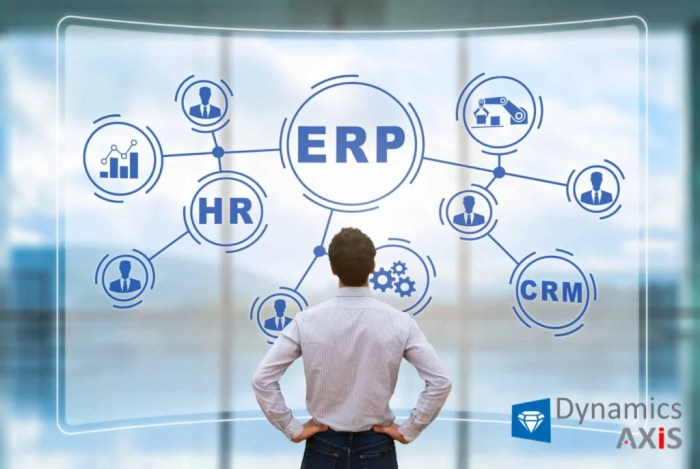
ERP Human Capital Management (HCM) offers a range of key features that help organizations manage their human resources more effectively. From core modules to analytics and reporting capabilities, ERP HCM streamlines HR processes and enhances decision-making.
Core Modules within ERP HCM
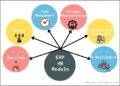
ERP HCM typically includes core modules such as:
- Recruitment and Onboarding: Streamlining the recruitment process from job posting to onboarding new hires.
- Employee Management: Maintaining employee records, tracking performance, and managing benefits.
- Training and Development: Planning and tracking employee training programs to enhance skills and knowledge.
- Payroll and Compensation: Automating payroll processes, managing compensation, and ensuring compliance.
- Time and Attendance: Tracking employee attendance, managing leaves, and optimizing workforce scheduling.
How ERP HCM Streamlines HR Processes
ERP HCM streamlines HR processes by:
- Centralizing Data: Storing all HR-related information in one system for easy access and efficient management.
- Automating Workflows: Automating repetitive tasks such as payroll processing and employee onboarding to save time and reduce errors.
- Improving Communication: Facilitating communication between HR, managers, and employees through self-service portals and notifications.
- Enhancing Compliance: Ensuring compliance with labor laws and regulations by providing accurate and up-to-date information.
The Role of Analytics and Reporting in ERP HCM
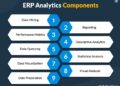
Analytics and reporting in ERP HCM play a crucial role in:
- Decision-Making: Providing insights into workforce trends, performance metrics, and employee engagement to support data-driven decision-making.
- Forecasting: Predicting future workforce needs, identifying skill gaps, and planning for succession through predictive analytics.
- Monitoring KPIs: Tracking key performance indicators related to HR processes, such as turnover rates, time-to-fill, and training effectiveness.
- Compliance Reporting: Generating reports to ensure compliance with auditing requirements, diversity initiatives, and other regulatory obligations.
Implementation of ERP HCM
Implementing ERP HCM involves several key steps that are crucial for a successful integration within an organization. It is essential to follow best practices and be aware of common challenges that may arise during the implementation process.
Steps involved in implementing ERP HCM
- Planning and Preparation: Define clear objectives, assess current processes, and create a detailed implementation plan.
- System Configuration: Customize the ERP HCM system to align with the organization’s specific requirements and workflows.
- Data Migration: Transfer existing data accurately to the new system without any loss or discrepancies.
- Training and Testing: Provide comprehensive training to users and conduct rigorous testing to ensure the system functions correctly.
- Go-Live and Support: Implement the ERP HCM system live and provide ongoing support to address any issues or concerns.
Best practices for a successful ERP HCM implementation
- Engage Stakeholders: Involve key stakeholders throughout the implementation process to gain their support and input.
- Communicate Effectively: Maintain open communication channels to keep all team members informed and aligned.
- Focus on Change Management: Prepare employees for the changes brought about by the new system and provide necessary support.
- Monitor Progress: Regularly track and monitor the implementation progress to address any issues promptly.
Common challenges faced during ERP HCM implementation
- Resistance to Change: Employees may resist adopting new processes and technologies, leading to delays in implementation.
- Data Quality Issues: Inaccurate or incomplete data can hinder the successful migration and functioning of the ERP HCM system.
- Lack of Training: Insufficient training for users can result in low adoption rates and decreased system effectiveness.
- Integration Problems: Difficulties in integrating the ERP HCM system with other existing systems can cause disruptions in operations.
Integration with Other Systems
Integrating ERP HCM with other systems is crucial for organizations to streamline their processes, enhance data accuracy, and improve overall efficiency.
Systems that ERP HCM commonly integrates with
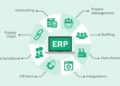
- ERP Systems: Integration with Enterprise Resource Planning (ERP) systems ensures seamless data flow between finance, HR, and other departments.
- Payroll Systems: Integration with payroll systems facilitates automatic updates of employee data and simplifies payroll processing.
- Time and Attendance Systems: Integration with time and attendance systems enables accurate tracking of employee work hours for payroll and scheduling purposes.
- Recruitment Systems: Integrating with recruitment systems allows for a smooth transition of new hires’ data into the HR system.
Benefits of seamless integration between ERP HCM and other platforms
- Improved Data Accuracy: Integrating systems reduces manual data entry and minimizes errors, ensuring that information is consistent across all platforms.
- Enhanced Efficiency: Seamless integration automates processes, saving time and resources while increasing productivity.
- Better Decision-Making: Access to real-time, integrated data enables managers to make informed decisions quickly, based on up-to-date information.
- Increased Employee Satisfaction: Integration streamlines HR processes, providing employees with a better user experience and reducing administrative burdens.
Customization and Configuration
Customization and configuration are crucial aspects of ERP HCM that allow organizations to tailor the system to their specific business needs and requirements. By customizing and configuring ERP HCM, companies can optimize processes, improve efficiency, and enhance overall functionality to better suit their unique workflows.
Ability to Customize ERP HCM
- Organizations can customize ERP HCM by modifying fields, workflows, and user interfaces to align with their specific business processes.
- Customization allows companies to add new functionalities, create custom reports, and personalize dashboards to meet their unique needs.
- By tailoring ERP HCM to their requirements, organizations can improve user adoption, increase productivity, and drive better decision-making.
Process of Configuring ERP HCM
- Configuration involves setting up the system parameters, defining security roles, and establishing data access controls based on organizational requirements.
- Organizations can configure ERP HCM to automate workflows, streamline processes, and ensure data accuracy and consistency across the platform.
- Configuring ERP HCM according to organizational needs helps in standardizing practices, reducing manual errors, and enhancing system usability.
Enhancing ERP HCM Functionality through Customization
- Customization and configuration can enhance ERP HCM functionality by enabling seamless integration with other systems, such as CRM or finance applications.
- By customizing modules and features, organizations can address specific HR challenges, such as talent management, workforce planning, and performance evaluation.
- Examples of customization include creating custom fields for tracking unique employee data, developing personalized workflows for onboarding processes, and configuring role-based access controls for data security.
Compliance and Security in ERP HCM
Ensuring compliance and maintaining high standards of security are crucial aspects of ERP HCM systems that organizations need to prioritize.
Compliance Standards in ERP HCM
ERP HCM systems must adhere to various compliance standards, such as GDPR, HIPAA, SOX, and other industry-specific regulations. Compliance ensures that organizations handle sensitive employee data responsibly and in accordance with the law.
Data Security Importance in ERP HCM
- Protecting employee data: ERP HCM systems contain a wealth of sensitive information, including personal details, payroll data, and performance evaluations. Data security measures are essential to prevent unauthorized access and data breaches.
- Preventing cyber threats: With the increasing threat of cyberattacks, robust security protocols within ERP HCM systems are necessary to safeguard against malicious activities.
- Maintaining trust: Demonstrating a commitment to data security instills trust among employees, customers, and stakeholders, enhancing the organization’s reputation.
How ERP HCM Helps Maintain Compliance and Security
- Role-based access control: ERP HCM systems enable organizations to restrict access to sensitive data based on user roles, ensuring that only authorized personnel can view or modify specific information.
- Encryption: Data encryption techniques are used to encode sensitive information within the ERP HCM system, making it unreadable to unauthorized users and enhancing data security.
- Auditing and monitoring: ERP HCM systems offer audit trails and monitoring capabilities to track user activities, detect anomalies, and ensure compliance with data protection regulations.
- Regular updates and patches: Continuous updates and patches to the ERP HCM system help address security vulnerabilities and ensure that the system remains resilient against emerging threats.
Final Review
In conclusion, ERP HCM stands as a cornerstone in the digital transformation of businesses, offering a unified platform to streamline HR operations and ensure regulatory compliance. By embracing ERP HCM, organizations can empower their workforce, drive strategic decision-making, and achieve sustainable growth in today’s competitive landscape.
Q&A
What is ERP HCM?
ERP HCM stands for Enterprise Resource Planning Human Capital Management, which is a software solution that helps organizations manage their human resources efficiently.
How does ERP HCM streamline HR processes?
ERP HCM streamlines HR processes by automating tasks like payroll, benefits administration, recruitment, and performance management, leading to increased efficiency and accuracy.
What are the common challenges during ERP HCM implementation?
Common challenges during ERP HCM implementation include data migration issues, resistance to change from employees, and ensuring proper training for users.
Why is data security important in ERP HCM?
Data security is crucial in ERP HCM to protect sensitive employee information, maintain compliance with regulations, and prevent unauthorized access to confidential data.